Category
Computer Repair Shop in Midtown NYC Drone Repair Game Console Repair iPhone Repair Laptop Repair MacBook Repair Phone Repair Tablet Repair in Midtown NYC Watch Computer Repair Shop in Midtown NYC
In New York City, a day without a working desktop computer is more than just an inconvenience—it’s potential lost business. Quick Fix is dedicated to minimizing your downtime with desktop computer repair in Midtown Manhattan. Conveniently located near the Empire State Building at 347 Fifth Ave, 15th Floor, we offer diagnostics, a clear quote, and repairs to keep your PC running and your day on track.
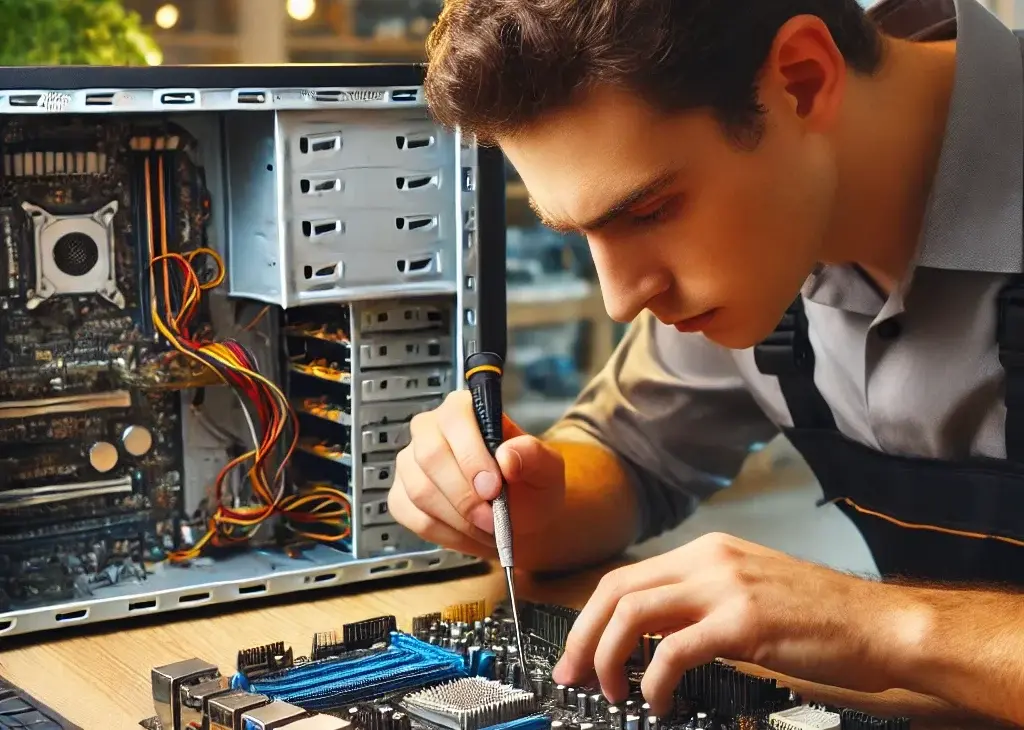
We repair desktop PCs that won’t power on, run slow, crash or overheat, and fit SSD, RAM and graphics card upgrades. Diagnostic $75, credited toward the repair, then a quote you approve before any repair. Most repairs have a 30-day limited warranty.
Get a desktop repair quote 212-810-6432Board, port and connector work at our Midtown store is done under a Zeiss Stemi 305 stereo microscope.
Desktop PC Problems We Fix
If your desktop is freezing during critical work, failing to start, or showing other signs of trouble, our technicians diagnose and fix a wide range of issues. For laptops and Windows software problems, see our Windows PC repair page; Apple all-in-ones have their own iMac repair page.
- Won’t Power On or Startup Failures – If your computer does nothing when you press the power button, only beeps, or shows a blank screen, we test the power supply, the power button and the motherboard, then troubleshoot the boot errors.
- Slow Performance – Struggling with lag or slow applications? We improve performance with RAM upgrades, SSD installations, and software tune-ups.
- Crashes, Freezes and Restarts – A desktop that restarts on its own, freezes or shows a blue screen usually points to a failing drive, bad memory, an overheating processor or a power supply that can’t keep up under load. We test each before we quote.
- Virus and Malware Removal – We remove malware and viruses and help protect your desktop from future threats.
- Hard Drive and SSD Replacement – If storage issues or crashes are common, upgrading to an SSD can drastically improve your desktop’s speed and performance.
- Overheating and Cooling System Repairs – Overheating is a common problem that can lead to severe damage. Loud fans, shutdowns during heavy work and dust-packed heatsinks are the usual signs. We clean, repair or replace cooling components to keep your system safe.
How It Works at Our Midtown Store
At Quick Fix, we keep the repair process clear and hassle-free:
- Bring the tower in – Walk in to 347 Fifth Ave, 15th Floor, Suite 1502, near the Empire State Building, or send the quote form first. Bring the tower and its power cable, plus your Windows password if you want us to test it signed in.
- Diagnostic – Our technicians assess the issue and offer repair options.
- Transparent Quote – You’ll receive a clear, upfront quote with the part, the price and the timing, so there are no surprises when it comes to costs. Nothing is repaired until you approve it.
- Repair and Testing – We repair or upgrade the desktop, then test it under load before you pick it up.
- Warranty on Repairs – Most repairs have a 30-day limited warranty.
Desktop Repair Questions: Data, Timing and Cost
We understand that you may have concerns before committing to a repair. Here’s what you can expect:
Will I lose my data? Our technicians try to keep your files intact during every repair, but back up anything important first if the computer still starts. If the drive has failed, data recovery is quoted after the diagnostic.
How long will it take? It depends on the fault and the part. The quote gives you the timing before you approve the repair.
Is repair cost-effective? Often, yes. The quote depends on the model and the part, so you can compare it with the cost of buying a new desktop before you decide.
Why Repair a Desktop Instead of Buying New
Quick Fix has repaired computers in Midtown Manhattan for 15+ years, and many desktops we see are worth fixing. Here’s why:
- Cost Savings Compared to Buying New – Repairing instead of replacing your desktop often costs less. Plus, it avoids the hassle of setting up a new device and moving your files from scratch.
- Environmental Impact of Repair – Repairing is an eco-friendly option that prevents electronic waste from ending up in landfills. By choosing repair over replacement, you’re helping reduce your environmental footprint.
- Experienced Technicians and Parts Options – Our technicians are experienced and committed to high-quality service. Parts options depend on your device model and repair. Before work begins, we explain the available option and confirm it with you.
Motherboard, Graphics Card and Power Supply Repair
Some desktop problems go deeper than software or a single drive:
- Motherboard Repairs – From faulty capacitors to other component issues, our team is experienced in motherboard repairs, a crucial part of many desktops.
- Graphics Card and Power Supply Replacement – If your desktop lags during graphic-heavy tasks or high-use applications, we can replace the graphics card and power supply as needed.
- Data Recovery – Hard drive failure? Our technicians try to retrieve data from damaged drives. What can be recovered depends on the damage, and the recovery is quoted after the diagnostic.
How We Diagnose a Desktop PC
At Quick Fix, our diagnostic follows the same steps for each desktop:
- Initial Diagnostic – First, we perform a visual inspection to check for obvious physical damage like loose components or dust build-up. This helps identify any surface issues impacting performance.
- In-Depth Evaluation – Next, we open the desktop to check internal components. Using a multimeter, we test the power supply and motherboard for electrical faults, and look for corrosion or burnt parts.
- Testing – Finally, we use diagnostic software to test the drive, memory and temperatures under load. Once complete, we provide a clear repair plan with a time and cost estimate, so you’re fully informed.
This process lets us identify problems that don’t show up at first glance, so the repair addresses the cause.
SSD, RAM and Graphics Card Upgrades
Not every slow desktop needs a repair. Moving from a hard drive to an SSD, or adding RAM, often makes an older PC usable again. We check which drive, memory and graphics card your motherboard and power supply support before we quote the upgrade, and where the old drive still reads, we copy Windows and your files to the new one.
Get a Desktop Repair Quote in Midtown Manhattan
Describe the problem in the quote form with the brand, the model and what happens when you press the power button, and we’ll reply with the next step. You can also call 212-810-6432 or walk in. For other computers, start at our computer repair in Midtown NYC page.
Located in Midtown Manhattan near the Empire State Building, we’re easy to reach and committed to quality and convenience.
Let us keep your desktop running smoothly so you can stay focused on what matters most.