Category
Computer Repair Shop in Midtown NYC Drone Repair Game Console Repair iPhone Repair Laptop Repair MacBook Repair Phone Repair Tablet Repair in Midtown NYC Watch MacBook Repair
Need a MacBook memory upgrade in NYC? Quick Fix by iFix in Midtown Manhattan checks your MacBook first and tells you whether its RAM or SSD can be upgraded at all. A big school project or a work deadline is a bad time for a laptop that freezes or runs out of space, so we give you a straight answer for your model before any work.
We upgrade MacBook RAM and SSD storage when the part is not soldered to the logic board, and we check your exact model first to tell you if an upgrade is possible. Diagnostic $75, credited toward the repair, then a quote you approve before any repair. Most repairs have a 30-day limited warranty.
Get a MacBook upgrade quote 212-810-6432June–October 2026 at our Midtown store: 44 MacBooks came in for repair and 33 were repaired; the median bill was $425, and the median repair took about 3 days.
Can the RAM in your MacBook be upgraded?
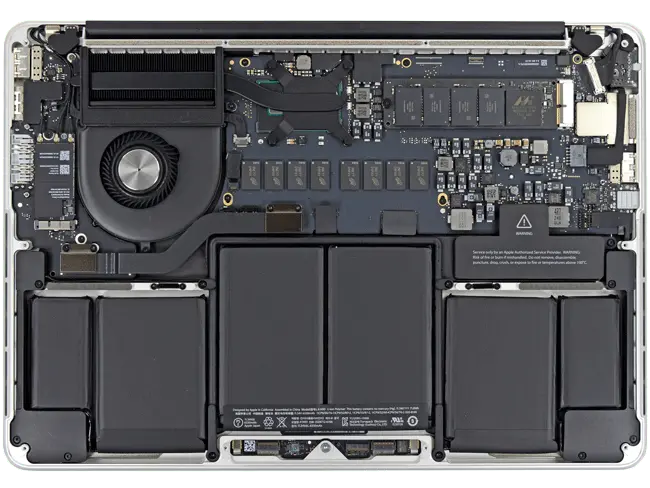
Not on every MacBook. On most models made since 2016, and on every Apple-silicon MacBook (M1 and later), the memory is soldered to the logic board, so the RAM cannot be upgraded. Some older MacBooks have a RAM slot, for example the non-Retina 13-inch MacBook Pro from 2012 and earlier. Storage works the same way: we replace an SSD with a larger one only when the drive is a separate part, not when it is soldered to the board. The check of your exact model tells you whether an upgrade is possible, before you pay for any part.
Signs your MacBook needs more memory or storage
These are the problems people usually bring in when they ask about more RAM or a bigger drive:
- Spinning beach ball and slowdowns with many apps or browser tabs open. On a model with a RAM slot, more memory helps; on a soldered model it is not an option, and we tell you so.
- A “disk almost full” warning, or no room to install a macOS update. If the SSD is a separate part, a larger drive gives you room for the newest macOS version your model supports.
- No space left for apps, photos and work files. Where the drive can be replaced, a bigger one lets you keep what you have instead of deleting it.
- An older MacBook you want to keep as a backup or second laptop. Older models are more often the ones with a RAM slot or a removable drive.
If the memory and storage on your model are soldered, we tell you at the check, before any work. For desktop Macs, see our iMac memory upgrade page; for other problems, start at our MacBook repair page.
Back up your data before any upgrade
A new SSD starts empty, and any repair that opens the MacBook carries some risk to the data on it. Back up your files before you bring the laptop in; we cannot promise your data will be safe. If you need help with a backup, ask at the counter, since data backup is a service we offer.
How it works at our Midtown store
- Bring your MacBook and its charger to our store across from the Empire State Building, or send a request first.
- We identify the exact model and check whether its RAM or SSD is soldered or can be replaced.
- If an upgrade is possible, you get a quote for the part and the labor, with the timing; it depends on the model and the part. Nothing is done until you approve it.
- Pay by cash or card in the store. Out of town? Use our mail-in repair service and pay by Zelle or PayPal.
Why choose us for your MacBook upgrade?
- Diagnostics and estimates before any work;
- A quote you approve before any repair, and a 30-day limited warranty on most repairs;
- We can repair MacBook Pro, MacBook Air, 12-inch MacBook and Unibody models;
- Convenient NY location – right across from the Empire State Building
Bring your MacBook in or send a request. We check the model, tell you what can be upgraded and what it takes, and you decide.