
Category
Computer Repair Shop in Midtown NYC Drone Repair Game Console Repair iPhone Repair Laptop Repair MacBook Repair Phone Repair Tablet Repair in Midtown NYC Watch
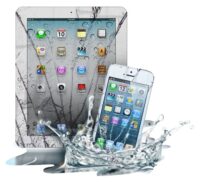
Have you spilled water on your iPad and are worried about the damage? If your screen is changing colors, the touch stops responding or the device is unexpectedly shutting down, get our iPad water damage repair service at Quick Fix by iFix in Midtown Manhattan. You can visit our shop on the 15th floor of 347 Fifth Ave or send the device to our store using our mail-in support.
We repair iPads that got wet: iPads that won’t turn on or charge after a spill, screens that flicker or change colors, touch that stops working and muffled speakers. Diagnostic $99, credited toward the repair, then a quote you approve before any repair. Liquid damage repairs have no warranty.
Get a water damage quote 212-810-6432Wet iPad? Do this now:
- Turn off the tablet and leave it off.
- Don’t charge it or plug anything into it.
- Wipe excess water using a soft cloth and move the tablet to a dry surface.
- Never use rice: it doesn’t dry the inside and may clog the port.
- Don’t use a hair dryer or any other heat.
- Bring it in soon: corrosion keeps spreading while the iPad sits wet.
iPad Repair for Water Damage: What Liquid Does Inside
Most liquids carry minerals or sugar that conduct current and eat at metal contacts. Once rainwater, coffee, or tea gets inside the iPad, it starts misbehaving. It may cause short circuits and corrosion of internal parts, especially the logic board, the charging port and the display connectors. The usual signs are an iPad that won’t turn on or charge, a screen that flickers, changes colors or shows dark spots, touch that responds on its own or not at all, muffled speakers and fog under the camera glass. Some iPads keep working for a few days and then fail as the corrosion spreads, so get it checked even if it seems fine.
Before you bring it in, remove the SIM card and other peripherals such as the case, keyboard and Apple Pencil. Note what the liquid was and when it happened: salt water, soda and coffee corrode faster than plain water. From another device, check when your last iCloud backup ran.
What Our iPad Water Damage Repair Involves
Apple doesn’t claim its iPad is water resistant, so even a small spill can cause real damage, and it’s crucial to have the device checked as soon as possible. At Quick Fix, we repair liquid damage on the standard Apple iPad and the iPad Mini, Pro, and Air. Depending on what the diagnostic finds, the repair can include:
- Cleaning corrosion off the board and connectors
- Screen replacement when water has reached the display
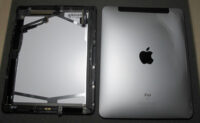
- Battery replacement
- Charging port and home button repair
- Logic board repair
- Software restore and updates
Not every iPad comes back. If corrosion has damaged the logic board beyond repair, we tell you before any work, and you decide whether to ask about data recovery, which is quoted separately. We try to keep your data, but no one can promise a wet iPad or its data will be saved, so a recent backup matters.
iPad Water Damage Repair Cost
How much does iPad water damage repair cost? It depends on what the liquid reached. A wet charging port or display connector is a smaller job than a logic board where water reached the chips. Nobody can price a wet iPad before opening it, so the quote comes after the $99 diagnostic and depends on the model and the parts. You approve it before we start, or take the iPad back. Liquid damage repairs have no warranty.
Apple’s standard limited warranty does not cover liquid damage. AppleCare+ covers it as accidental damage, with a service fee, so check that option with Apple first if you have it. Without coverage, our out-of-warranty repair is the alternative.
How It Works at Our Midtown Store
- Walk in to 347 Fifth Ave, 15th Floor, Suite 1502, with no appointment, or send a request online.
- Our technicians open the tablet, dry it and inspect every part the liquid could reach.
- You get a quote for what the water damaged, and you approve it or take the iPad back.
- We clean, repair and test the iPad, and let you know when it’s ready.
Why Bring Your Wet iPad to Quick Fix
Diagnostics First: Our technicians open the tablet and inspect every single part of it. After diagnosing the issues, they will get back to you with a quote, and nothing is repaired until you approve it.
No Appointments: Quick Fix keeps customers as our top priority, which is why you can walk in without an appointment.
Parts: Parts options depend on your device model and repair. Before work begins, we explain the available option and confirm it with you. We procure parts from reliable suppliers.
Wide Repairs: We don’t only repair tablets but also laptops and gaming consoles from brands such as Asus, MSI, HP, and Alienware. For screens, batteries and other problems that aren’t liquid damage, see our tablet repair in Midtown NYC.
Apple Team: The same Midtown store handles MacBook, iPhone, and iMac repairs. From June to October 2026 the five iFix stores, Quick Fix included, took in 90+ iPad repairs, 10+ of them at this Midtown store. Phone got wet too? See iPhone water damage repair.