Category
Computer Repair Shop in Midtown NYC Drone Repair Game Console Repair iPhone Repair Laptop Repair MacBook Repair Phone Repair Tablet Repair in Midtown NYC WatchSpilled water on your MacBook Air? Quick Fix is here to help with a careful diagnostic and a clear quote before any repair. From water and coffee spills to more complex liquid damage, we open your MacBook Air, find what the liquid reached and tell you what can be fixed.

We repair MacBook Air laptops after water, coffee and other spills: an Air that won’t turn on or charge, a dead or sticky keyboard or trackpad, and a screen with lines or no picture. Diagnostic $99, credited toward the repair, then a quote you approve before any repair. Liquid damage repairs have no warranty.
Get a water damage quote 212-810-6432June–October 2026 at our Midtown store: 12 MacBooks with liquid damage came in and 9 were repaired; the median bill was $425, and the median repair took about 3 days.
Board, port and connector work at our Midtown store is done under a Zeiss Stemi 305 stereo microscope.
What to Do After Spilling Liquid on Your MacBook Air
Water or liquid spills can quickly damage sensitive components in your MacBook Air, and the sooner you act, the better. Here’s what to do if you’ve just spilled coffee, water, or another liquid on your MacBook Air:
- Turn Off Your MacBook Air Immediately – Hold the power button until the screen goes dark to help prevent short circuits.
- Unplug It – Disconnect the charger and any accessories.
- Don’t Charge It or Turn It On to Test It – Power running through a wet logic board can short it.
- Skip the Rice and the Hair Dryer – Rice doesn’t dry the inside of a MacBook Air, and heat doesn’t either.
- Bring It In ASAP – Corrosion keeps spreading while liquid sits on the board.
Signs of Water Damage on a MacBook Air
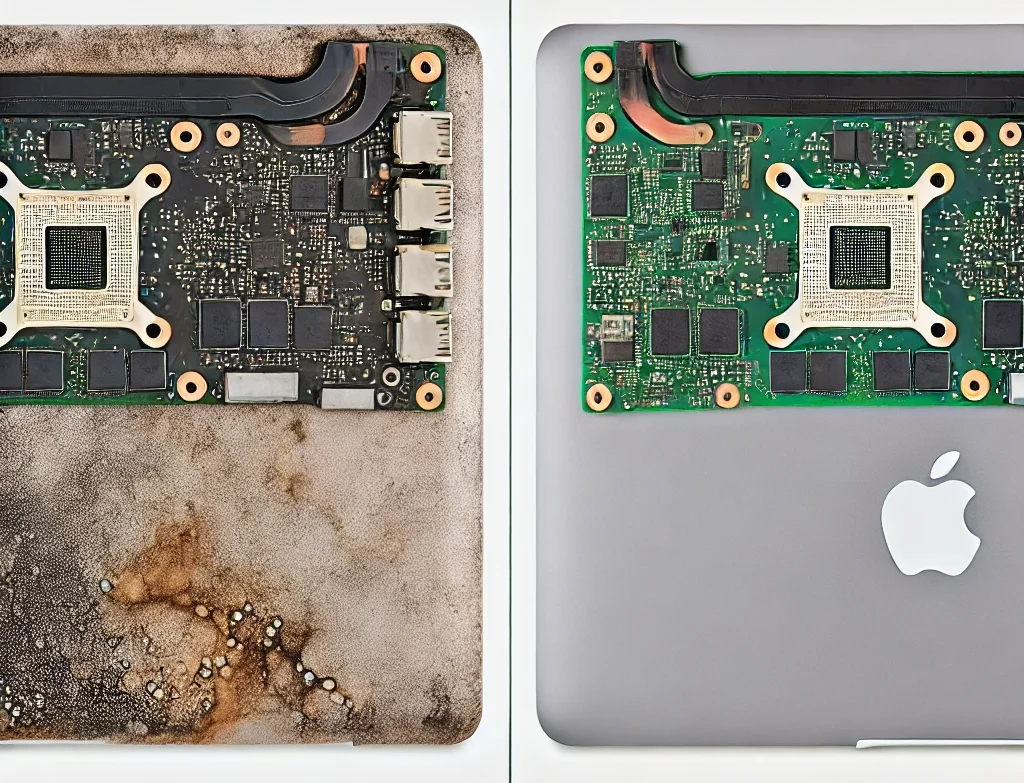
A MacBook Air that still works right after a spill can fail days later, because residue from coffee, soda or juice keeps corroding the board. Common signs:
- It won’t turn on, or turns on with a black screen
- It won’t charge, or shuts down on battery
- Keys stick, stop working or type on their own
- The trackpad won’t click or the cursor jumps
- Lines, spots or flicker on the display
How MacBook Air Water Damage Repair Works at Our Midtown Store
At Quick Fix, we handle every MacBook Air water damage case with a thorough, multi-step process. Here’s how it works:
- Drop-Off – Walk in or send a request with the form on this page. Tell us what spilled and when, and bring the charger.
- Initial Inspection – First, we examine your MacBook Air for visible water residue, corrosion, or external damage.
- Internal Assessment – Next, we carefully open the device, disconnect the battery and use a multimeter to check the logic board, battery, keyboard, connectors and flex cables for signs of moisture, shorts, or corrosion.
- Quote – We discuss findings with you and give a clear repair quote and timeline. Nothing is done until you approve.
- Repair and Test – We clean the affected parts, repair or replace what failed, and test power, charging, keyboard, trackpad and display before pickup.
Complex liquid damage may go to the iFix repair lab. Not every MacBook Air comes back after a spill: if the logic board is too corroded to repair, we tell you before any work. We try to keep your files, but we can’t promise the Mac or the data can be saved, so back it up first if it still runs. If it won’t start, data recovery is quoted separately after the diagnostic.
Why Quick Fix for MacBook Air Water Damage Repair in NYC?
Quick Fix is a Midtown Manhattan repair shop with 15+ years of experience in MacBook Air liquid damage repair. Here’s why customers turn to us:
- A Quote Before Any Work – After the diagnostic you get the repair price for your MacBook Air, and nothing is done until you say yes.
- Mail-In Option – Can’t get to Midtown? Mail-in repair is available for water-damaged MacBooks too.
Have a liquid-damaged MacBook Air? Don’t wait! Contact Quick Fix now to schedule a diagnostic.
MacBook Air Water Damage Repair Cost and Common Questions
What is the MacBook Air water damage repair cost? Repair costs vary based on the extent of damage and the model. The diagnostic comes first, and the quote that follows depends on the part and the work, so there are no surprises. Repairing your MacBook Air often costs less than replacing it.
What if I spilled coffee on my MacBook or another liquid? Different liquids cause different types of damage, so each device is handled accordingly. Coffee, soda and juice leave sticky residue that needs more cleaning than plain water.
Can you fix other Apple devices or brands? Yes! Quick Fix also repairs MacBook Pros, iPads, iPhones, and non-Apple laptops like Lenovo, Asus, and more. For a Pro after a spill, see our MacBook Pro water damage repair page.
Why You Shouldn’t Wait After a Spill
When liquid is spilled on a MacBook, the damage can spread if left unchecked. Disconnecting the battery soon after the spill lowers the risk of electrical shorts on the logic board, which is why it is the first thing we do when we open it. Acting early could save you from needing more extensive repairs later.
Benefits of Repairing vs. Replacing Your Device
A repair keeps your MacBook Air, its setup and your accessories in use, and it keeps a working laptop out of the e-waste bin. If you would rather replace it, the diagnostic still tells you what failed, so you decide with the facts.
Ready to Repair Your MacBook Air?
If you’ve experienced a liquid spill, reach out to Quick Fix for a diagnostic and a repair quote at our Midtown Manhattan store. We also repair water damage on other Apple devices, including MacBook Pro, iPad, and iPhone, as well as other popular laptop brands like Lenovo and Asus; the general MacBook water damage repair page covers every model, and our MacBook repair page lists the rest of our Mac services. Don’t risk further damage: schedule your service today.