
Category
Computer Repair Shop in Midtown NYC Drone Repair Game Console Repair iPhone Repair Laptop Repair MacBook Repair Phone Repair Tablet Repair in Midtown NYC Watch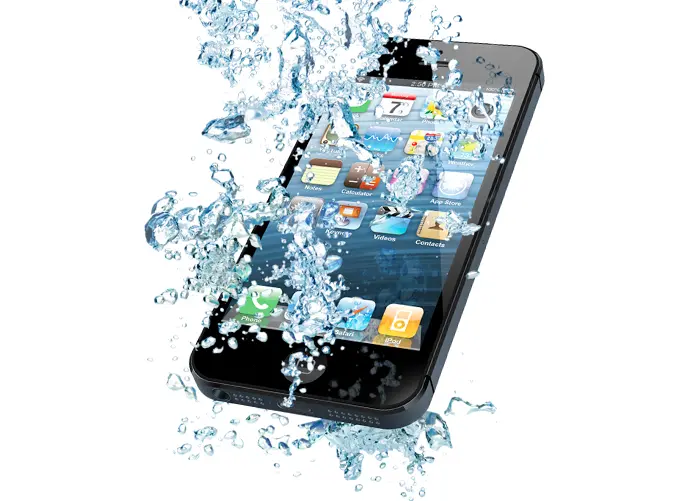 iPhone Repair
When water meets your iPhone, panic often sets in. Maybe it got caught in the rain near Herald Square or took a dive into a bathtub; either way, liquid can reach your phone’s vital components in seconds. At Quick Fix by iFix, on the 15th floor of 347 Fifth Ave in Midtown Manhattan, our iPhone repair in Midtown NYC covers water damage: we open the phone, clean the corrosion and test each part, then tell you what it will take to get it working again.
We repair iPhones that got wet: phones that won’t turn on or charge after a spill, dead speakers or microphones, ghost touches, fogged cameras and Face ID errors. Diagnostic $99, credited toward the repair, then a quote you approve before any repair. Liquid damage repairs have no warranty.
Get a water damage quote 212-810-6432Wet iPhone? Do this now:
- Power it off and leave it off.
- Don’t charge it or plug it into anything.
- Skip the bag of rice: it doesn’t dry the inside and can leave dust in the ports.
- Don’t use a hair dryer or any other heat.
- Bring it in soon: corrosion keeps spreading while the phone sits wet.
iPhone Water Damage Repair Steps From the Empire State Building
Our Midtown Manhattan store is steps from the Empire State Building. We treat liquid damage as a diagnostic job first: from corrosion removal to board-level repair, we open the phone, find what the water reached and quote only what needs fixing. If you’re looking for a professional iPhone water damage fix, the teardown diagnostic is where it starts. From June to October 2026 the five iFix stores, Quick Fix included, took in 70+ iPhone water damage repairs, 20+ of them at this Midtown store.
What Happens When an iPhone Falls in Water?
One moment your phone is in your hand. The next? It’s submerged. It only takes a few seconds for moisture to sneak past seals and reach sensitive components like the logic board or battery connector. If your iPhone fell in water and is unresponsive, don’t press buttons to test it, don’t shake it, and don’t try to dry it with rice or heat. Each of these can push water deeper or speed up corrosion on the board.
Water resistance is not waterproofing: seals age, and a drop or a cracked back glass opens a path inside. The usual signs of a water damaged iPhone are no power, no charging, a “Liquid Detected” alert at the port, a muffled speaker, ghost touches, lines on the screen, fog in the camera and Face ID that stops working.
We begin with a liquid contact indicator assessment, followed by device teardown and cleaning. This process removes moisture and corrosion residue and helps limit further damage to critical parts like the Face ID sensor, charging port, and Taptic Engine.
Devices We Service After Liquid Exposure
Our team works on water-damaged iPhones across current and older Apple models, including:
- iPhone 15
- iPhone 14
- iPhone 13
- iPhone 12
- iPhone 11
- iPhone XR
- iPhone X
- iPhone 8
- iPhone 7
- iPhone SE
Water tends to collect at the SIM tray, the buttons, the speaker grille and the charging port, so we check each of those points for rust during the teardown.
What iPhone Water Damage Repair Involves
Each repair begins with the teardown diagnostic. Once the affected zones are identified, we may proceed with:
- Cleaning of internal components
- Logic board isolation and board-level repair
- Battery testing and connector reseating
- Charging port inspection and screen flex cable alignment
- Speaker and microphone evaluation
- Volume and power button recovery
- Face ID, camera, and SIM tray module analysis
These steps can restore function across both hardware and system-level problems caused by water, but not every phone comes back. Sometimes the water only reached one part: if the port is the only casualty, the job becomes an iPhone charging port repair. If the logic board is too corroded to repair, we tell you before any work, and you decide whether to ask about data recovery instead.
iPhone Water Damage Repair Cost in Midtown NYC
The severity of internal damage determines the final quote. A minor rusted connector may only need cleaning. However, corrosion on the logic board or damage to components like the Taptic Engine could require in-depth repair and parts. If you’re trying to understand the price to fix water damaged iPhone models, be cautious of flat-rate claims online: nobody can price a wet phone before opening it. The quote comes after the diagnostic and depends on the model and the parts the water reached. You approve it before we start, or take the phone back.
The same goes for iPhone 11 water damage repair cost: an iPhone 11 is often worth checking, because the price depends on whether the water stopped at a part we can replace or reached the board. Walk in to our Midtown NYC store without an appointment, or request a quote online first.
Dropped iPhone into Water? Before You Bring It In
Accidentally dropped your phone into a pool or sink? After the steps above:
- Gently blot the exterior with a lint-free cloth.
- Avoid inserting objects into any openings, including cotton swabs.
- Note what the liquid was (pool, sea water, soda, coffee) and when it happened; salt and sugar corrode faster than fresh water.
- From another device, check when your last iCloud backup ran.
- Bring it to our Midtown NYC location for evaluation.
Acting quickly can improve the odds and reduce the likelihood of long-term issues like ghost touching, display distortion, or Face ID failure, but no one can promise a wet phone or its data will be saved.
Apple Water Damage Repair: What Apple’s Warranty and AppleCare+ Cover
Many customers are surprised to find that Apple’s standard limited warranty does not cover liquid damage, even on newer water-resistant models. AppleCare+ is different: it covers liquid damage as accidental damage, with a service fee, so check that option with Apple first if you have it. To see whether liquid got inside, check the liquid contact indicator in the SIM tray slot on models that have one: a red dot usually means moisture was detected. Without coverage, our out-of-warranty service is the alternative: a diagnostic first, then a quote.
Need iPhone Water Damage Repair in NYC?
If you’re in Midtown Manhattan, Quick Fix by iFix is on Fifth Avenue next to the Empire State Building. With 15+ years of experience, we give you a clear diagnosis and a quote before any repair, with no appointment necessary.
What Makes Our Midtown NYC Repair Service Different?
- Convenient location near Empire State Building
- Walk-in diagnostics and a quote before any work
- Cleaning to lift corrosion off the board and connectors
- Water damage repair for current and older iPhone models
- Friendly, professional service with no confusing jargon
How It Works at Our Midtown Store
- Walk in to 347 Fifth Ave, 15th Floor, Suite 1502, or send a request online.
- We open the phone and run the diagnostic.
- You get a quote for what the water reached, and you approve it or take the phone back.
- We clean, repair and test the phone, and let you know when it’s ready.
Residents, commuters and visitors can drop a phone off on the way to work and pick it up when the quote’s work is done.
Liquid-Damaged iPhone? Bring It In Soon
A phone that took on water doesn’t have to become a lost cause. If your iPhone fell in water during a summer storm or you discovered moisture under the screen, our team has the tools and experience to try to get your device working again. Spilled on a tablet too? See iPad water damage repair.
Contact Quick Fix by iFix today, or visit us near the Empire State Building. The sooner we open the phone, the better the odds, before corrosion makes the damage permanent.