Category
Computer Repair Shop in Midtown NYC Drone Repair Game Console Repair iPhone Repair Laptop Repair MacBook Repair Phone Repair Tablet Repair in Midtown NYC Watch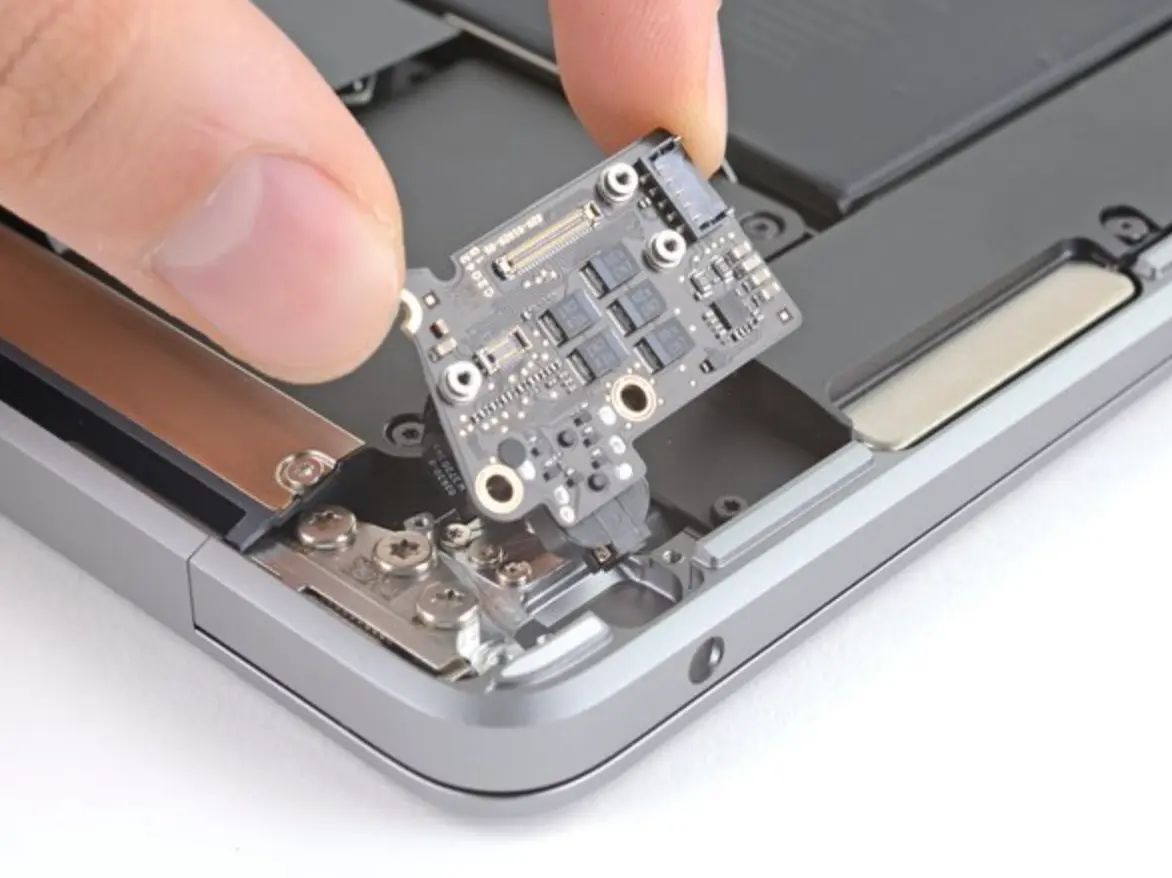 MacBook Repair
Is your MacBook no longer recognizing your headphones? Are you hearing static, distortion, or no sound at all? A dead headphone jack cuts you off from calls, meetings and music, and the cause is sometimes a setting rather than a broken part. If you’re dealing with a faulty connection or no output response, Quick Fix by iFix offers diagnostics and MacBook headphone jack repair in Midtown Manhattan.
We repair MacBook headphone jacks that don’t detect headphones, crackle, play in one ear or leave the Mac with no sound, including the audio board the jack sits on. Diagnostic $75, credited toward the repair, then a quote you approve before any repair. Most repairs have a 30-day limited warranty.
Get a headphone jack repair quote 212-810-6432MacBook Headphone Jack Not Working? Common Signs
These are the symptoms we see most often when a MacBook headphone jack fails:
- Sound plays from internal speakers only
- Audio cuts out or plays in one ear
- No sound when headphones are plugged in
- A red light glows inside the jack (older models) and the speakers go silent
- Port shows signs of wear or liquid damage
- MacBook doesn’t detect headphones
If you’re experiencing any of these issues, try the checks below first. If they don’t help, a check by a technician can save time and prevent bigger problems down the line. Stop by or send a quote request, no appointment needed.
Try This First: MacBook Audio Jack Not Working or No Sound
In some cases, a settings change or a restart resolves the issue without needing repairs:
- Check the output device. With the headphones plugged in, open System Settings > Sound > Output (System Preferences > Sound on older macOS). Pick External Headphones or Headphones, check the volume slider and make sure Mute is off. Disconnect AirPods and other Bluetooth devices, which can take over the output.
- Look for a red light in the jack. On older MacBooks the headphone jack doubles as an optical output and glows red when its sensor thinks an optical cable is in. A stuck sensor sends sound to Digital Out, so neither the speakers nor the headphones play. Plugging the headphones in and out a few times can free it; don’t push pins or other metal into the port.
- Try another pair of headphones. Test a second wired pair in the MacBook and your own pair in a phone. If your headphones fail everywhere, the jack is fine.
- Restart the Mac. On Intel MacBooks, an NVRAM reset can also clear stuck audio settings; Apple silicon models don’t need one.
But if the jack still fails after troubleshooting, the problem often lies with the physical port itself. Common causes include wear from frequent plug-ins, angled headphone removal, or internal debris.
Hardware Causes: the Jack, the Board It Sits On, or Liquid
On many MacBooks the 3.5 mm jack sits on a small audio board connected to the logic board by a cable; on others it is part of the logic board itself. That decides the repair: a worn jack, a damaged audio board or a loose cable is a part replacement, while a fault on the logic board needs board-level work. If liquid got into the port, the contacts and the detect switch corrode; we handle that as a MacBook water damage repair, and liquid damage has no warranty. If other ports are loose or not charging too, see MacBook charging port repair; we can check them in the same visit.
Already tried every online guide on how to fix your MacBook headphone jack? Let a local technician take it from here.
How Much Does MacBook Headphone Jack Repair Cost?
We keep it simple: the diagnostic comes first, then you get a quote before any work starts.
Repair costs depend on your MacBook model and whether the issue requires a standard jack or audio board replacement or board-level work.
How It Works at Our Midtown Store
- Walk in, call, or send a quote request first. Bring the MacBook, its charger and the headphones that don’t work.
- We test the jack with known-good headphones, check the sound settings and the detect sensor, then open the case and check the jack, its board and cable for wear or corrosion.
- You get a quote with the part and the timing for your model. Nothing is repaired until you approve it.
- After the repair we test headphones, the microphone and the speakers before you pick it up. We try to keep your data as it is, but back up your Mac before any repair.
Why Bring Your MacBook to Quick Fix
When your MacBook loses sound, you need more than a guess. We find which part failed before we quote, so you pay for the repair that fixes it.
- We handle board-level repairs, not just part swaps
- We give clear answers, not guesswork
- No shipping: walk in and talk to a technician
With a location near the Empire State Building, we’re built for convenience.
Is Your MacBook Eligible for Audio Jack Repair?
We repair nearly all Apple laptops, from the latest Apple Silicon models to legacy Intel-based machines; see all our MacBook repair services.
Supported models include:
- MacBook Air (M1, M2, Intel)
- MacBook Pro 13″ (M1, M2, Intel)
- MacBook Pro 14″ and 16″ (M1 Pro, M2 Pro, M2 Max)
- MacBook Pro (Intel-based, 2012–2020 models)
- MacBook Retina (12-inch, 2015–2017)
- Legacy MacBook (2008–2012 unibody models)
Not sure which model you have? Check Apple menu > About This Mac, or bring it in and we’ll look it up.
Need MacBook Headphone Jack Repair in Midtown NYC?
Our store is a walk-in shop: you explain the problem to a technician at the counter, not to a call center, and leave with a clear next step.
If your MacBook’s audio is cutting out, stuck on silent, or only working when you wiggle the headphones, walk in, call, or send a quick request online.